How a Browser Works: A Beginner-Friendly Guide to Browser Internals
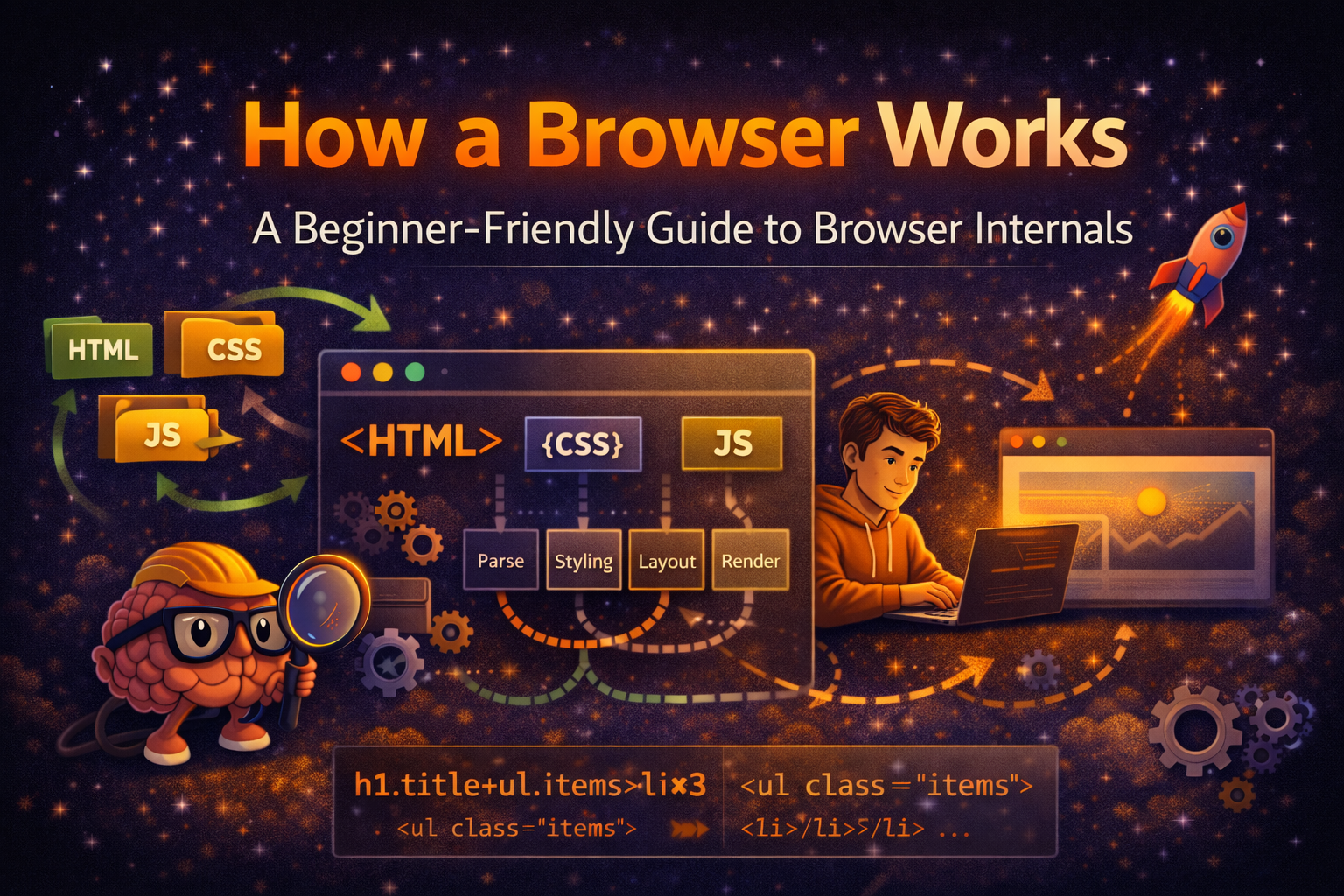
In today's blog we will learn about browser. what do you think about browser and without browser what we will missed for each and every website/webpage/webapp we need a application for mobile or desktop but thank god we have browser to see all the app in web form.
A browser is not as simple as we see or think it super powerfull Operating system of web. so when we think about browser we just realize that its a tool to see webpages/websites/webapps.
What happens when I type a URL and press Enter?
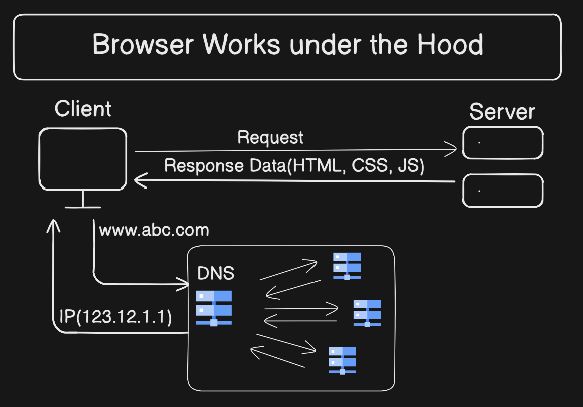
When you type a website address into your browser and press Enter, what actually happens?
Most of us know the result a webpage appears on the screen. But behind the scenes, the browser performs many steps to turn code into pixels. In this blog, we’ll understand how a browser works internally, step by step, in a simple and beginner-friendly way.
Under the hood browser working in different way in short we just past a URL of a site in URL bar and hit Enter and see the webpage but whenever we hit a URL it first go to the cache(storage) of the its brain and look for IP is associated with that webpage URL if it found it redirects to the IP and get data(HTML, CSS, JS, Images, Etc) from server. but In case of not found the IP it goes to the DNS resolver and ask for its IP then DNS resolver work under the hood and get the IP and send back to the browser after that same.
So it's not simple as we had thought previously.
What Is a Browser Really?
A browser is not just an application that opens websites. A browser is a system that:
Fetches data from the internet(Server)
Understands HTML, CSS, and JavaScript
Converts code into a visual page
Handles user interactions(Click, Input, Etc)
A browser is a translator between the web and humans.
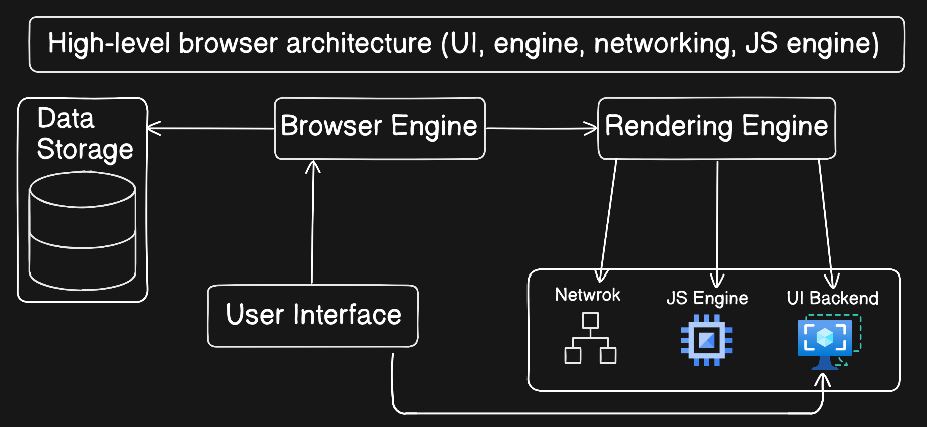
Main Parts of a Browser
At a high level, a browser is made of several components working together:
User Interface
Browser Engine
Rendering Engine
Networking
JavaScript Engine
User Interface
The User Interface is the visible part of the browser. It includes:
Address bar
Tabs
Back and forward buttons
Reload button
The UI is not responsible for rendering the webpage itself.
Browser Engine vs Rendering Engine
Browser Engine : The browser engine acts as a coordinator. It connects the user interface with the rendering engine and controls the overall flow.
Browser engine = director
Rendering Engine : The rendering engine converts HTML and CSS into visual content on the screen.
Rendering engine = artist
Networking: Fetching Resources
Once a URL is entered, the browser uses the networking layer to fetch resources. These include:
HTML files
CSS files
JavaScript files
Images and fonts
Networking happens before rendering.
HTML Parsing → DOM Creation Flow
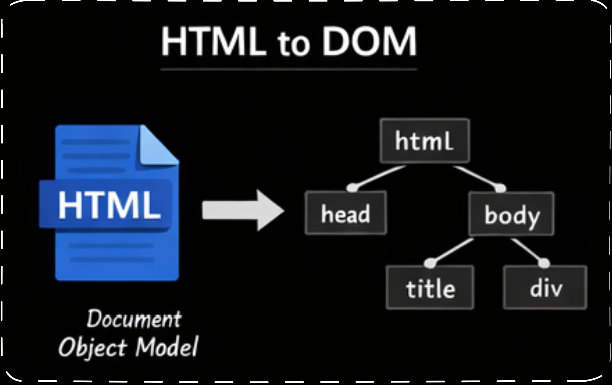
After receiving HTML, the browser parses it. Parsing means breaking code into a structure that browser can understand that is also known as Tree Structure of HTML elements.
HTML → DOM (Document Object Model)
DOM is like a tree representing the structure of the page.
CSS Parsing → CSSOM Creation Flow
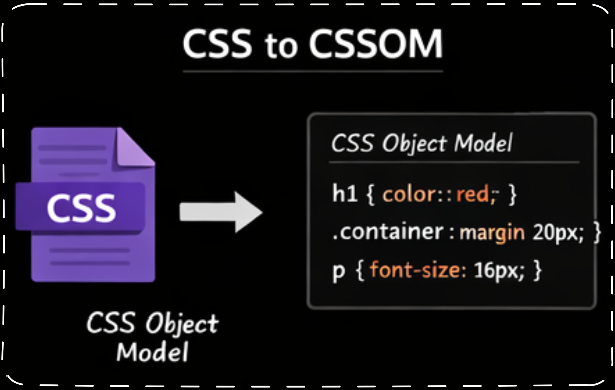
CSS is parsed separately from HTML. The browser parses(converts) CSS into another structure called CSSOM.
CSS → CSSOM (CSS Object Model)
CSSOM defines how things should look.
DOM + CSSOM → Render Tree
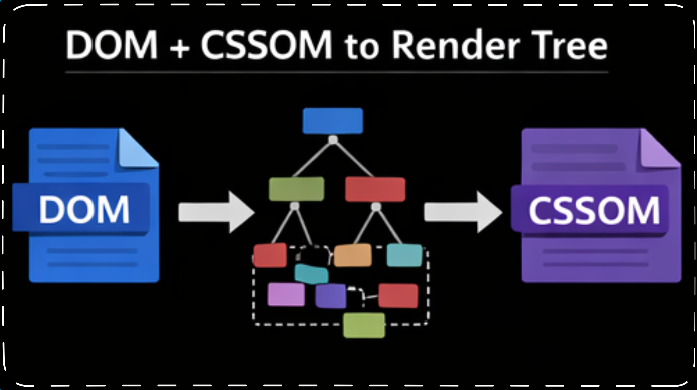
The browser combines DOM and CSSOM to create the Render Tree.
Contains only visible elements
Knows structure + styles
DOM + CSSOM → Render Tree
Render Tree → Layout (reflow) → Paint → Display
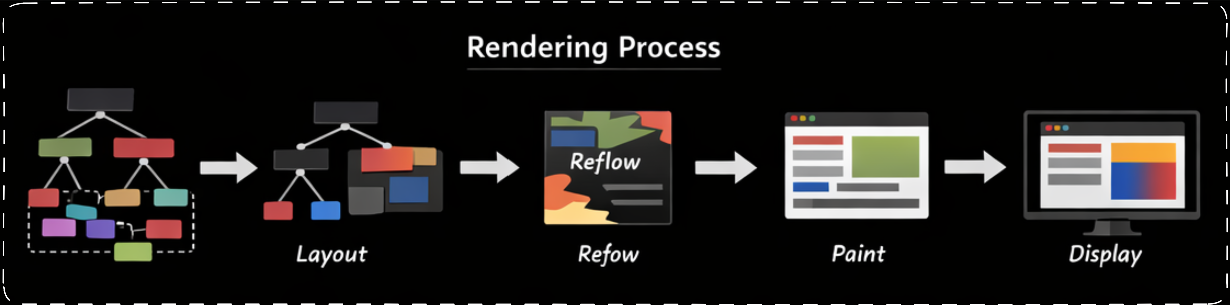
Render Tree : It is same as tree from root to end branch(tag).
Layout (reflow) : The browser calculates where each element should appear on the screen.
Painting : The browser fills pixels with colors, text, borders, and images.
Display : The final result is shown on the screen.
Very Basic Idea of Parsing
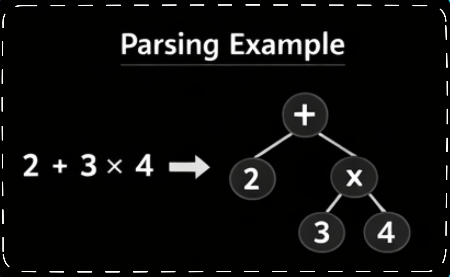
Parsing is like understanding a sentence. For example:
2 + 3 × 4
Instead of reading left to right, the browser creates a structure:
    +
   / \
  2   ×     // Second point of caculation (12+2 = 14)
     / \
    3   4    // First point of calculation (3*4 = 12)
Parsing converts text into meaning.
Full Browser Flow
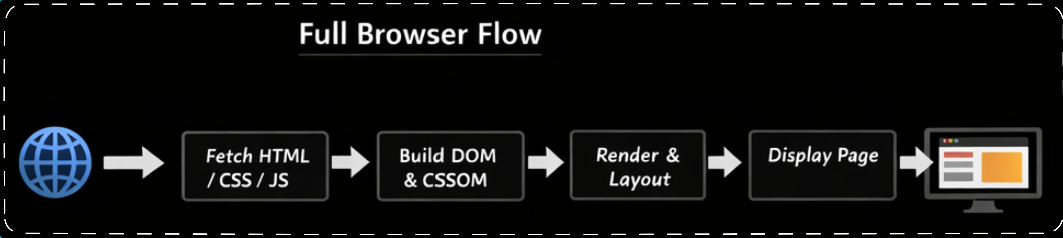
URL → Network → HTML/CSS/JS
      ↓
HTML → DOM
CSS  → CSSOM
      ↓
Render Tree
      ↓
Layout → Paint → Display
You don’t need to remember every term at once. The goal is to understand the flow:
Code → Structure → Style → Pixels
Conclusion
A browser may look simple and under the hood it seems complex, but it follows a clear pipeline. Once you understand how HTML and CSS become a webpage, many frontend concepts start to make sense easily. This understanding helps you write better code, debug issues faster, and reason about performance more effectively and many more.
I hope you understand about the How Browser Works(Under the hood), If you would like to read about DNS Record Types. You may also connect me from LinkedIn.
Thank you for reading this article.
About the author
I am a Front-end Developer with 7 years of experience, started from HTML, CSS and JavaScript then switched into any UI Development again switched into React Development. Now Looking for anything like in language and started digging into that slowly.
Comments
Join the discussionNo comments yet. Be the first to comment.


